
Style Guide
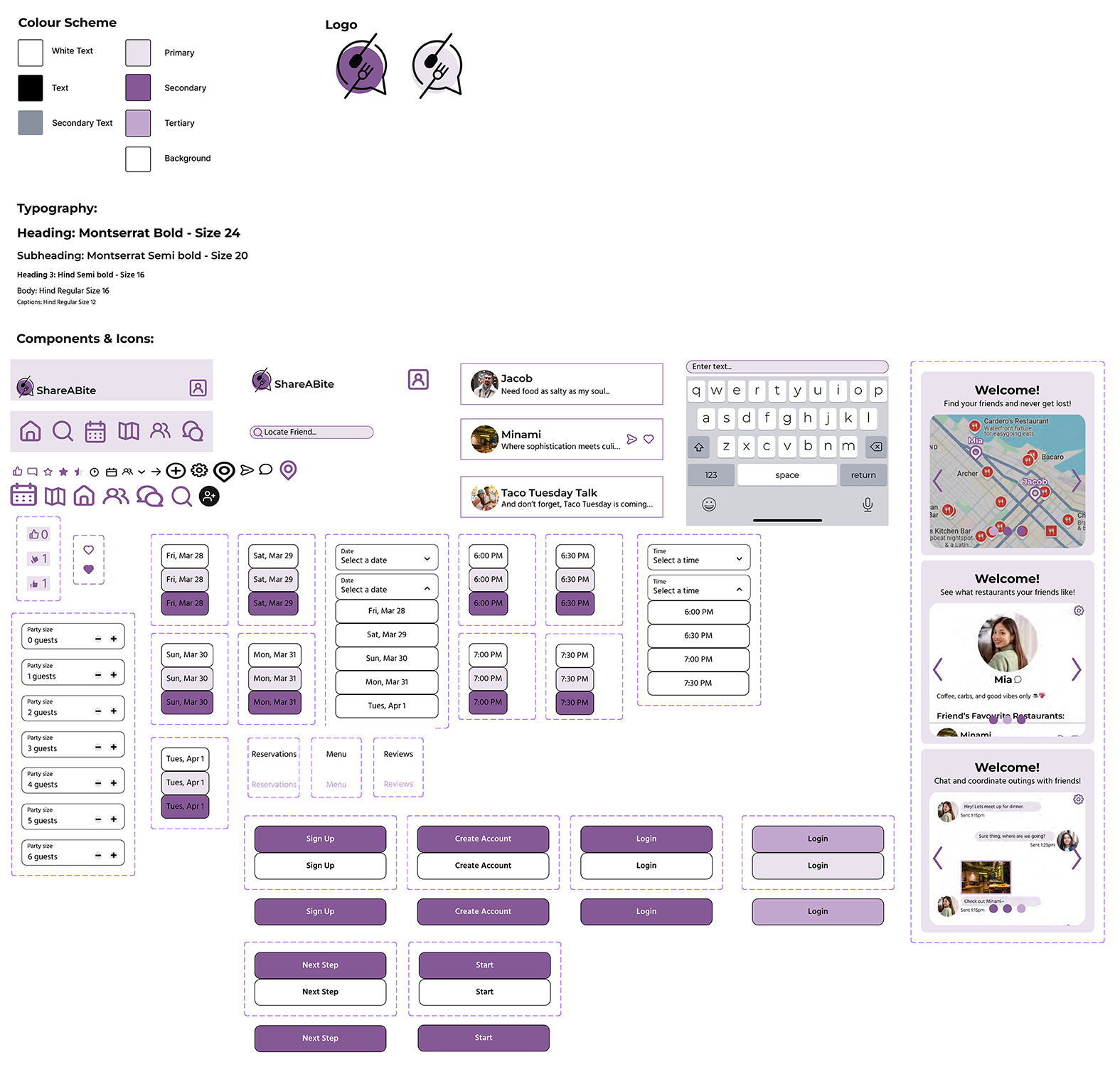
Wireframe and Prototype Mockup
-
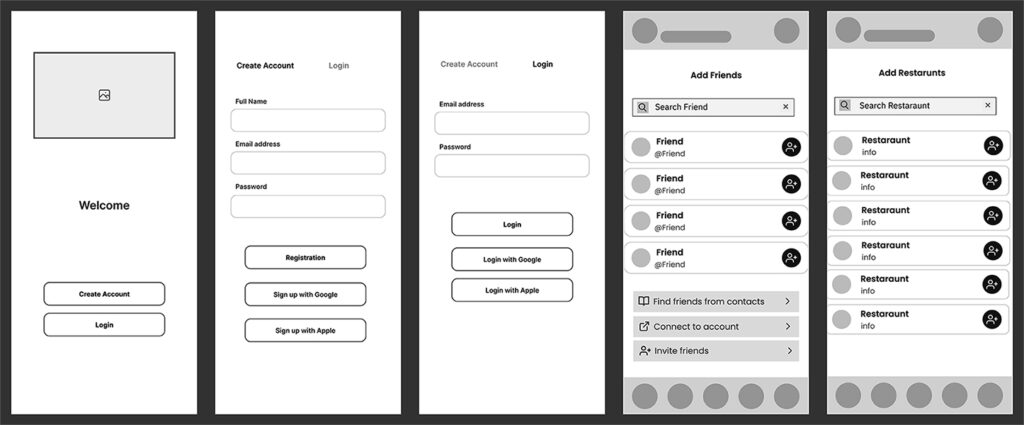
- Wireframes
-
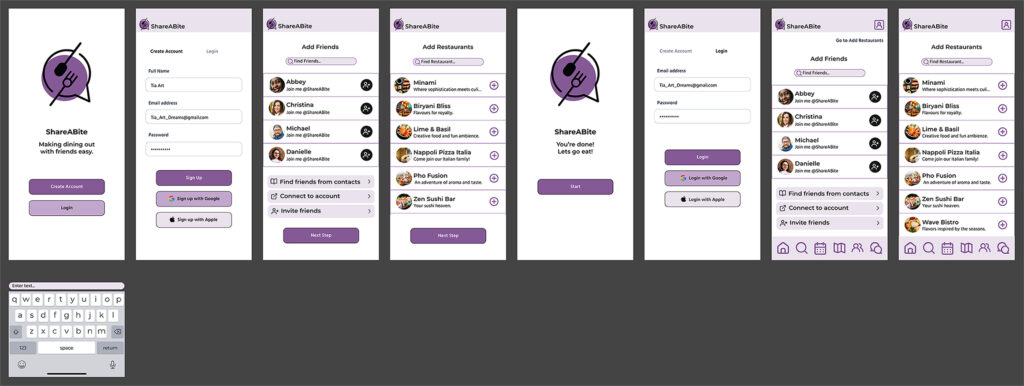
- Prototype
Prototype
Share a Bite App
Project type: UI UX Design
Tools used: Figma
Role: Davonna Struthers - UI UX Designer
Background/Requirements
This was a group project for class MDIA 2330 UI/UX Prototyping Tools at BCIT. The purpose of this assignment was to demonstrate working as a group on a prototype, using concepts taught through the courses such as components with multiple variants, responsive resizing, media usage and interaction via triggers/actions.
We created a food focused social mobile app designed to help users discover local restaurants, connect with friends, share recommendations, and easily make reservations. This app allows users to explore a variety of dining options, find and add friends to expand their social network, and interact with them by sharing dining experiences.
Users can leave reviews, organize group outings, and see where their friends are dining in real time. With features like personalized restaurant suggestions, seamless reservation booking, and real time updates, this app makes discovering new dining spots, connecting, and sharing food experiences more fun and interactive.
Implementation
We divided our work on the app as follows:
- Davonna Struthers: Welcome sequence (Login/Sign up, Add friends, Add restaurants).
- Esther Liang: Restaurant aspects (Find restaurants, view restaurant reviews, make reservations).
- Tia Adam: Social aspects (Find friends, Chat with friends, Profiles).
We each created the wireframe and prototype high fidelity mockup for our respective sections. Then worked together on the prototype so that it was interactive for the user between the different parts.
I created wireframes and mockups for Welcome, Create, Login, Add Friends and Add Restaurants Components:
- Animated Create Account, Login, Next Step, Start and Sign Up buttons in order to show activity when user navigates to create account and login to the
- Created vertical scrolling lists for Add Friends and Add Restaurants
- Input fields for Name, Email Address and
- Input fields for search bars for Find Friends and Find
- Included top and bottom navigation bars created by Tia in Add Friends and Add Restaurants frames (view after being logged in).
Conclusion
After animating our prototype we created a video to show a demonstration of how the app will work. I enjoyed this project as I was learning a new skill in creating prototypes with figma as well as putting together group ideas with figjam and learning project management when working with a group.
For this project, Stock images and art were used from Canva and Vecteezy
Google and Apple logo from www.figma.com/community/libraries.
ChatGPT for creation of names and bios of restaurants, as well as for the names of people.